Aadhaar Card Address Change Guide: Update Your Address Online Easily
Moving to a new home is very exciting, but it also brings a lot of boring paperwork. One of the most important things you need to do is update your identity cards. In India, your Aadhar Card Address Change is the most important document you own. It connects you to bank accounts, phone numbers, and government help. If you move, you must update your current home address on this card quickly. Many people think this process is hard and takes a lot of time, but it is actually very simple. You can handle the whole process from your living room couch. This complete guide will show you exactly how to update your details without any stress or confusion.
Changing your address is important because a wrong address can cause big problems with your mail and official work. You might miss important letters from your bank or packages from online stores. Thankfully, the government makes it easy to fix this layout online. You do not need to stand in long lines at a crowded office all day. All you need is a computer or a mobile phone with a good internet connection. Let us look at how you can get this done today.
Why You Need an Aadhar Card Address Change
Your Aadhar card serves as official proof of where you live across the entire country. When you move to a new house, your old address becomes wrong immediately. This means you cannot use your card to open a local bank account or get a new gas connection. Keeping your address updated ensures that all your official benefits arrive at your new doorstep without any delays. It also keeps your profile clean and correct in the central government database system.
Many companies and services check your Aadhar card to verify who you are before helping you. If the address on the card does not match your current home, they might reject your application. This can be very frustrating when you are trying to set up your new life in a new city. Doing an aadhar card address change ensures that you face no roadblocks when buying a house or getting a new Wi-Fi connection. It is a small task that saves you from massive headaches later on.
Can I Do an Aadhar Card Address Change Online
Yes, you can absolutely do an aadhar card address change online without visiting an center in person. The official website has a special portal made just for updates. This online system is open all day and all night, so you can use it whenever you have free time. It is designed to be very simple so that anyone can use it easily. You just need to follow the prompts on the screen to finish your application.
However, there is one major rule you must know before you start the online process. Your current mobile number must be linked to your Aadhar card already. The system will send a special security code to your phone to verify your identity. If your phone number is not linked, you cannot use the online portal. In that case, you will have to visit a physical center to update your mobile number first.
Vital Aadhar Card Address Change Documents You Need
To change your address, you must show proof that you actually live at the new place. The government accepts many different papers as valid proof for this process. You can use a recent bank statement that shows your new address clearly. You can also use your electricity bill, water bill, or telephone bill from the last three months. Landlord rent agreements and official property tax receipts work perfectly fine too.
If you do not have these bills in your name, do not worry at all. You can use a passport, a ration card, or a voter identity card if they have the new address. Make sure you take a clear photo or scan of these aadhar card address change documents before starting. The files must be easy to read so the officers can verify them quickly. If the picture is blurry, the system might reject your application, and you will have to start over.
| Document Type | Examples of Allowed Papers | Maximum Age of Document |
| Utility Bills | Electricity, Water, Telephone | Less than 3 months old |
| Government IDs | Passport, Voter ID, Ration Card | Must be valid and current |
| Financial Papers | Bank Statement, Post Office Account | Less than 3 months old |
| Property Papers | Registered Rent Agreement, Tax Receipt | Current and signed |
Step by Step Online Aadhar Card Address Change Process
First, you need to open your internet browser and visit the official MyAadhar website portal. Look for the login button and type in your unique twelve-digit Aadhar number carefully. Next, type the security captcha code exactly as it appears on your screen. Click the button to send a one-time password to your registered mobile phone. Type that code into the box to gain access to your personal dashboard safely.
Once you are inside the dashboard, click on the option that says update address online. The screen will show your current address details first. Type your new address into the fields very carefully, including the correct pin code and district. After typing, upload your scanned proof document into the system. Pay the small processing fee using your debit card or online banking to submit your request to the team.
How to Track Your Online Aadhar Card Address Change Request
After you submit your request and pay the fee, the website will give you an acknowledgement receipt. This receipt contains a special number called a Service Request Number. It is very important to save this number on your phone or write it down in a safe notebook. You will need this specific number to check the progress of your application later on. It helps you see if your card is ready or still being reviewed.
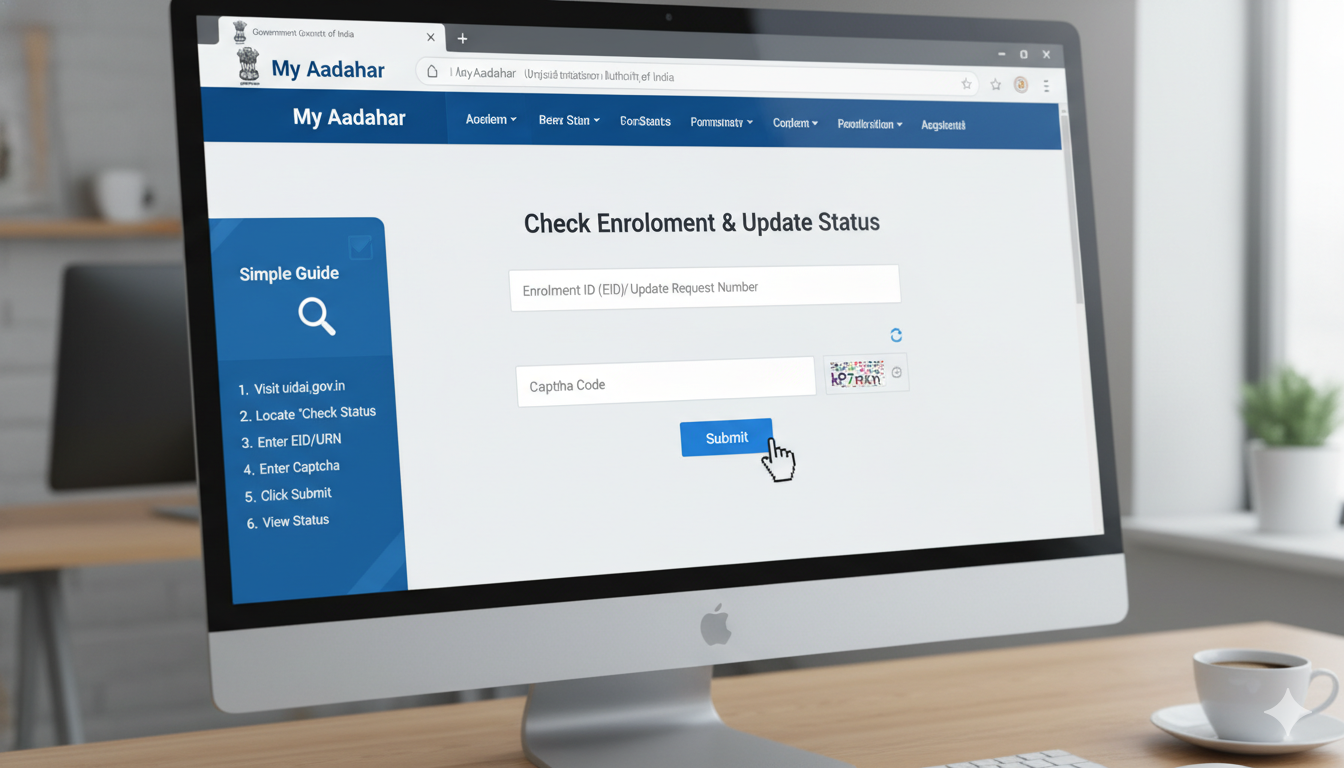
To check the status, go back to the main portal page and click on the check status link. Type in your request number and your Aadhar card digits to see the update. The system will tell you if your request is pending, approved, or rejected. Usually, the government team reviews and updates the details within a few days. Once it says approved, you can download your fresh card immediately.
Common Mistakes to Avoid During Your Address Update
Many people make simple mistakes that cause their address change applications to get rejected by the system. The most common mistake is typing the new address incorrectly or leaving out major details like the house number. You must match the typed details exactly with the text written on your proof document. If your bill says Flat 402, do not type Room 402 in the online form. Small differences can cause big delays.
Another mistake is uploading old bills or bad photos that nobody can read clearly. Always ensure your bills are less than three months old from today. Check that the entire document is visible in the picture, including the official stamps and dates. Do not cut off the corners of the paper when taking the photo with your smartphone. Taking clean pictures ensures your application moves through the system smoothly.
What is the Fee for Aadhar Card Address Change Online
Updating your home address through the online portal is very cheap and affordable for everyone. The government charges a small standard fee of fifty rupees for this online service. This fee covers the cost of checking your documents and updating the secure database. You can pay this money safely using online payment modes like UPI, credit cards, or net banking. The website uses secure lines so your money is always safe.
If you choose to visit a physical center instead, the price might be slightly different. They might charge you a little more if they biometric scan your fingers or take a new photo. However, doing the online aadhar card address change saves you travel money and time. Always make sure you get a proper digital receipt after making your payment online. This receipt is your proof that the payment went through successfully.
How to Change Address Without Proof Documents
Sometimes, you might move into a new place but have no bills or documents in your own name. This happens often to students, young workers, or people living with relatives. The government has a smart solution for this situation using an address validator. You can use the address of a family member or landlord who already lives there. This person will act as your verifier to confirm you live with them.
The process requires the verifier to give permission through the online portal using their own Aadhar card. The system will send a special validation letter with a secret code to the verifier’s address by post. Once the letter arrives at the house, you log in and enter that secret code into your portal. This proves you have access to that home, and the system updates your address without any standard proof papers.
How to Download Your Updated Aadhar Card
Once the portal shows that your address change is approved, you do not need to wait for the plastic card to arrive by mail. You can download a digital version called an e-Aadhar right away. This digital card is completely legal and accepted everywhere just like the physical one. To download it, log back into the MyAadhar website using your phone number and identity digits. Click the download option on your dashboard.
The downloaded file will be a secure PDF document that is locked with a password for safety. The password is a combination of your name and birth year. Type the first four letters of your name in capital letters, followed by your birth year without spaces. For example, if your name is Amit and you were born in 1995, your password is AMIT1995. You can print this file out and use it immediately.
Conclusion
Updating your home details on your identity card is a vital task that keeps your life running smoothly. By following this guide, you now know how to perform an online aadhar card address change easily. Gather your bills, check your mobile connection, and log into the official portal to finish it today. It takes less than twenty minutes but saves you from major problems in the future. Keep your documents updated and stay stress-free.
FAQs
How many days does it take to update my address online?
It usually takes around five to fifteen working days for the government officers to verify your papers and update the system. You will receive a text message on your phone once the change is officially done.
Can I change my address multiple times if I move often?
Yes, you can update your home location whenever you move to a new house. There is no strict limit on how many times you can update your address, but you must provide valid proof every single time.
What happens if my address change request gets rejected?
If your request is rejected, the portal will show you the exact reason for the failure. You can fix the mistake, upload a clearer document, pay the fee again, and submit a fresh request.
Can I update my local address using my husband’s documents?
Yes, you can use your husband’s address proof if you have a marriage certificate or if his name is mentioned on your card. Alternatively, you can use the address validation letter process easily.
Is the digital downloaded Aadhar card valid everywhere?
Yes, the digital e-Aadhar card is completely valid and holds the exact same legal value as the printed card sent by post. You can print it out or show it on your phone securely.
Can I change my address online if my phone number is not linked?
No, you cannot use the online updating system if your current mobile number is not linked to your card. You must visit a physical registration center to link your phone number before using the online website.